
The attendance app for teachers that marks a class in 60 seconds.
Swipe to mark students present, absent, or late. Works completely offline on any phone, tablet, or desktop. Install once, use forever.
Built for teachers · No credit card · Works on iOS, Android & desktop · Offline-first
How it works
Three steps. Under a minute.
Designed for the classroom. Fast enough to run before the bell rings.
Install on any device
Get MarkIT from Google Play → on Android, or add it to your home screen from any browser on iOS, Android, and desktop.
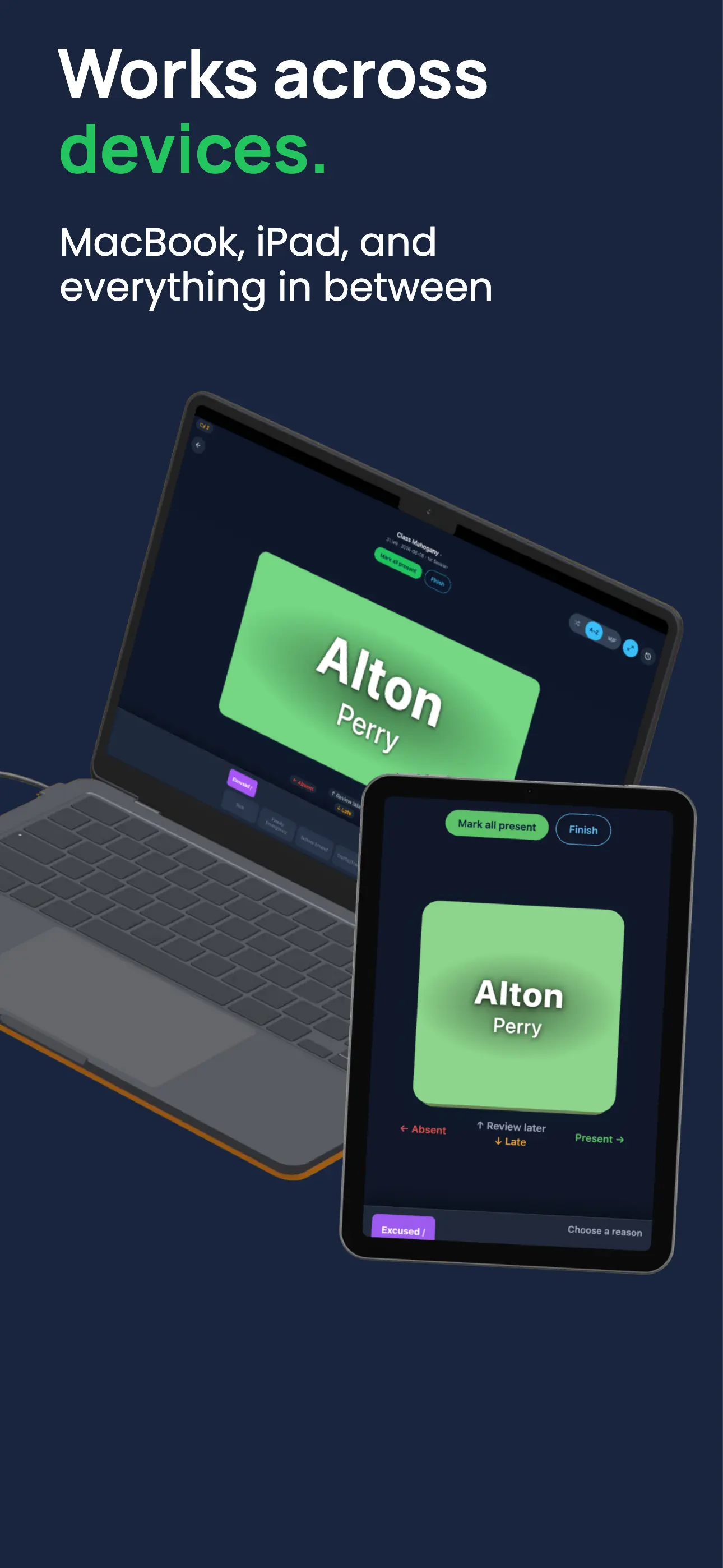
Swipe to mark
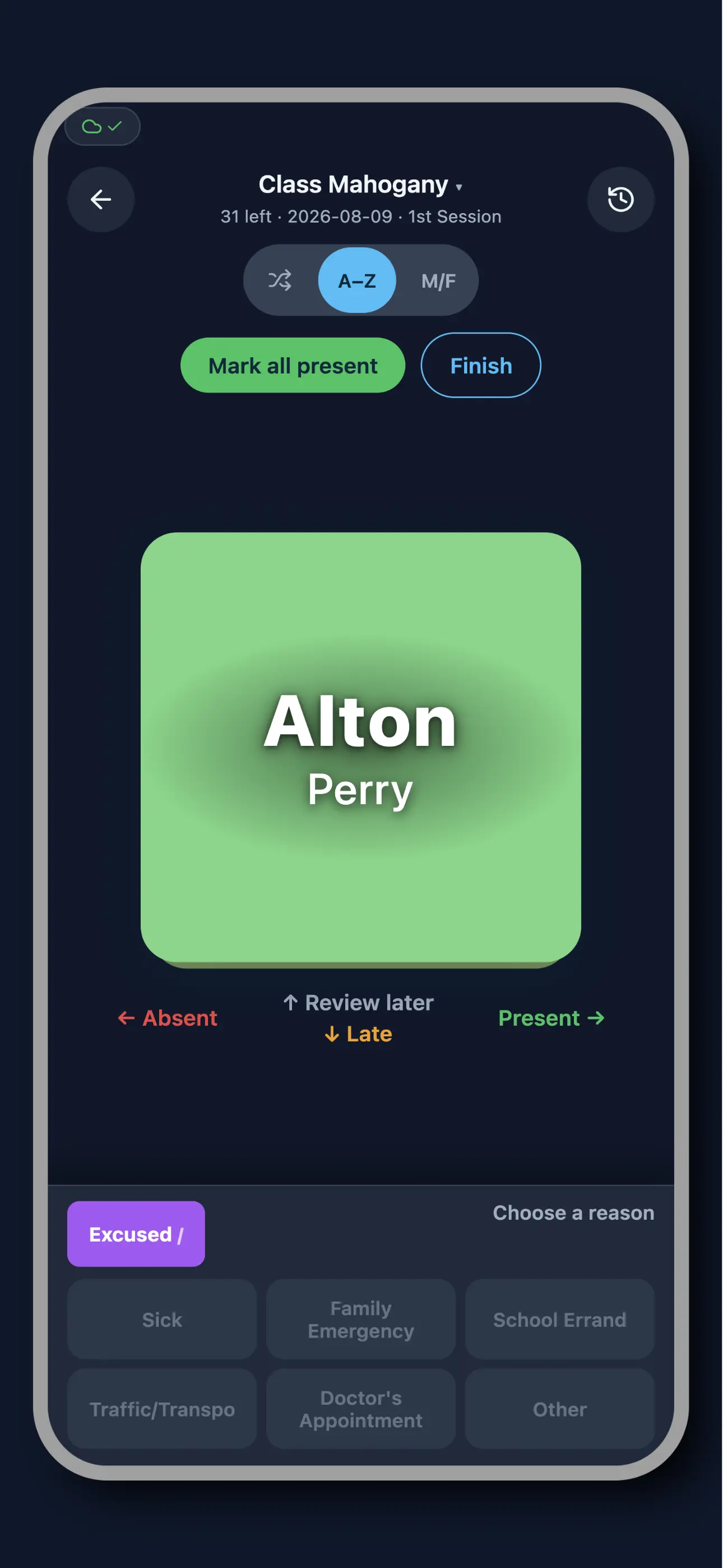
Swipe right for present, left for absent, down for late. Cards flip through your class list automatically. Full class in under 60 seconds.
Syncs automatically
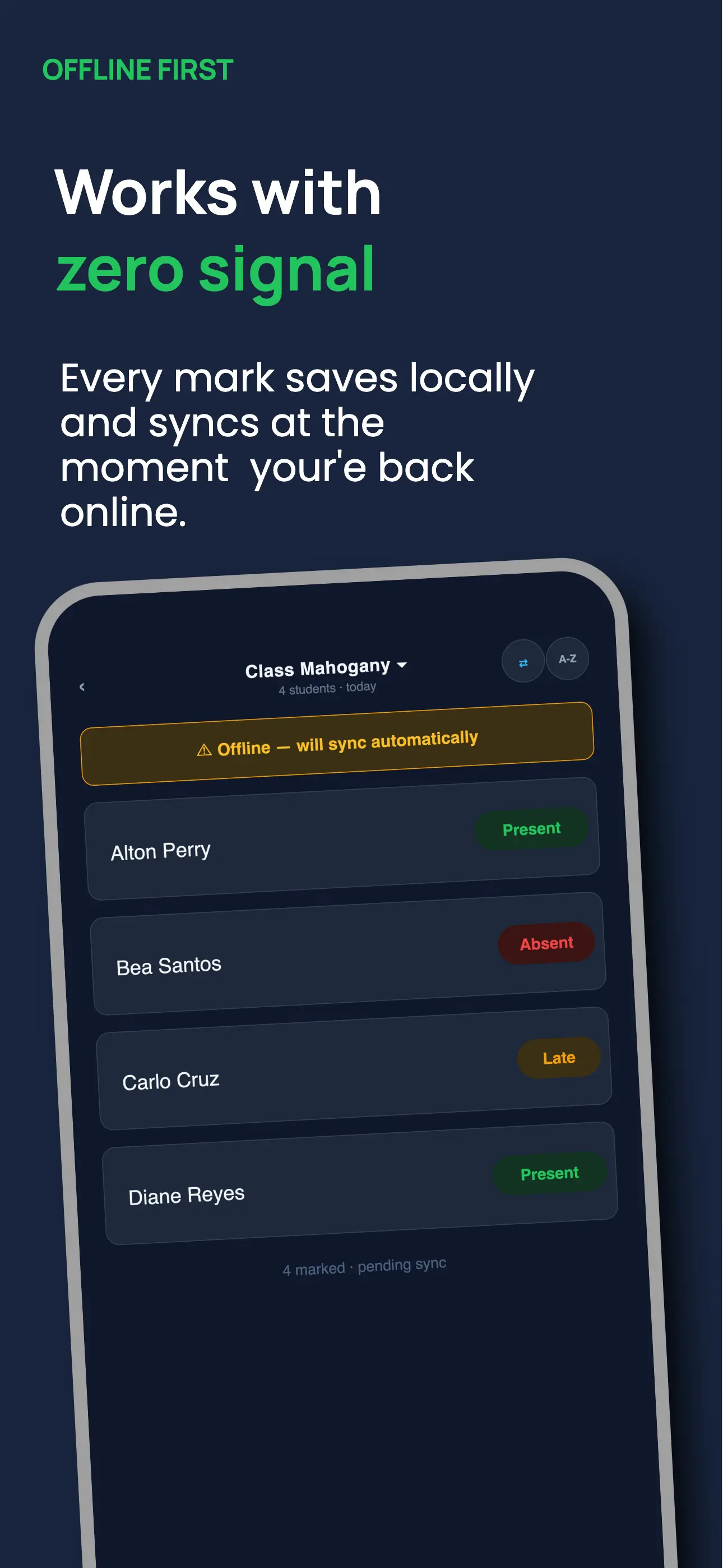
No internet? No problem. MarkIT records everything offline and syncs the moment you're back online. Nothing is ever lost.
See it in action
A look inside MarkIT
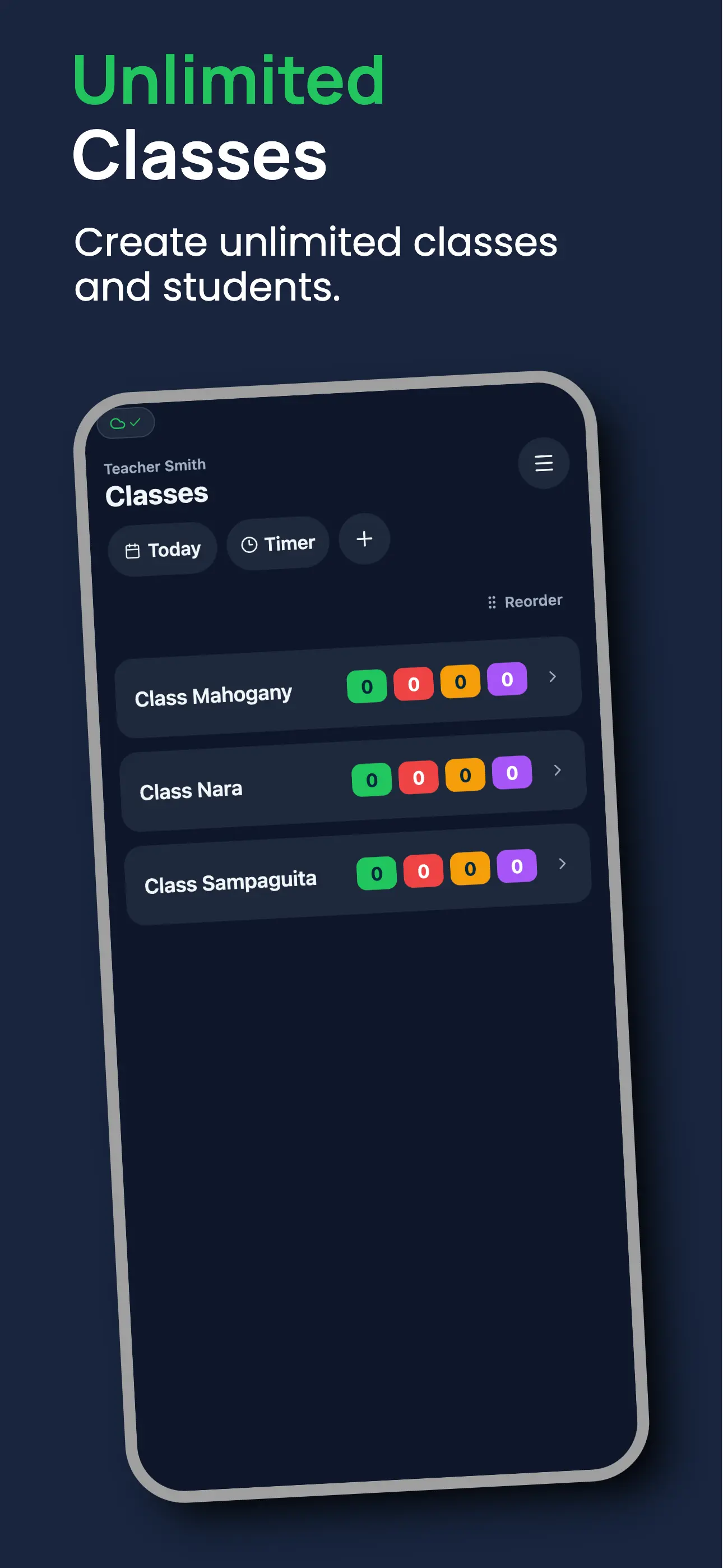
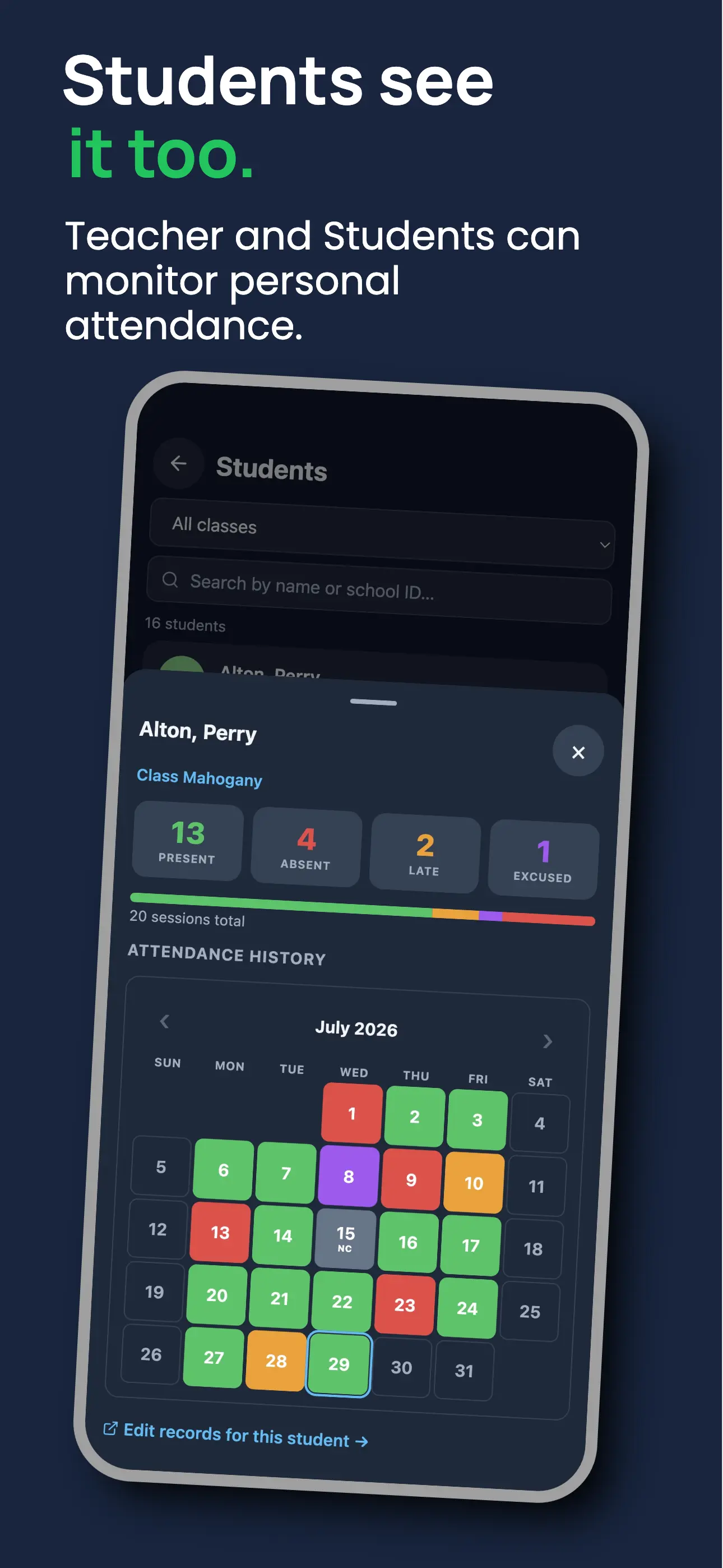
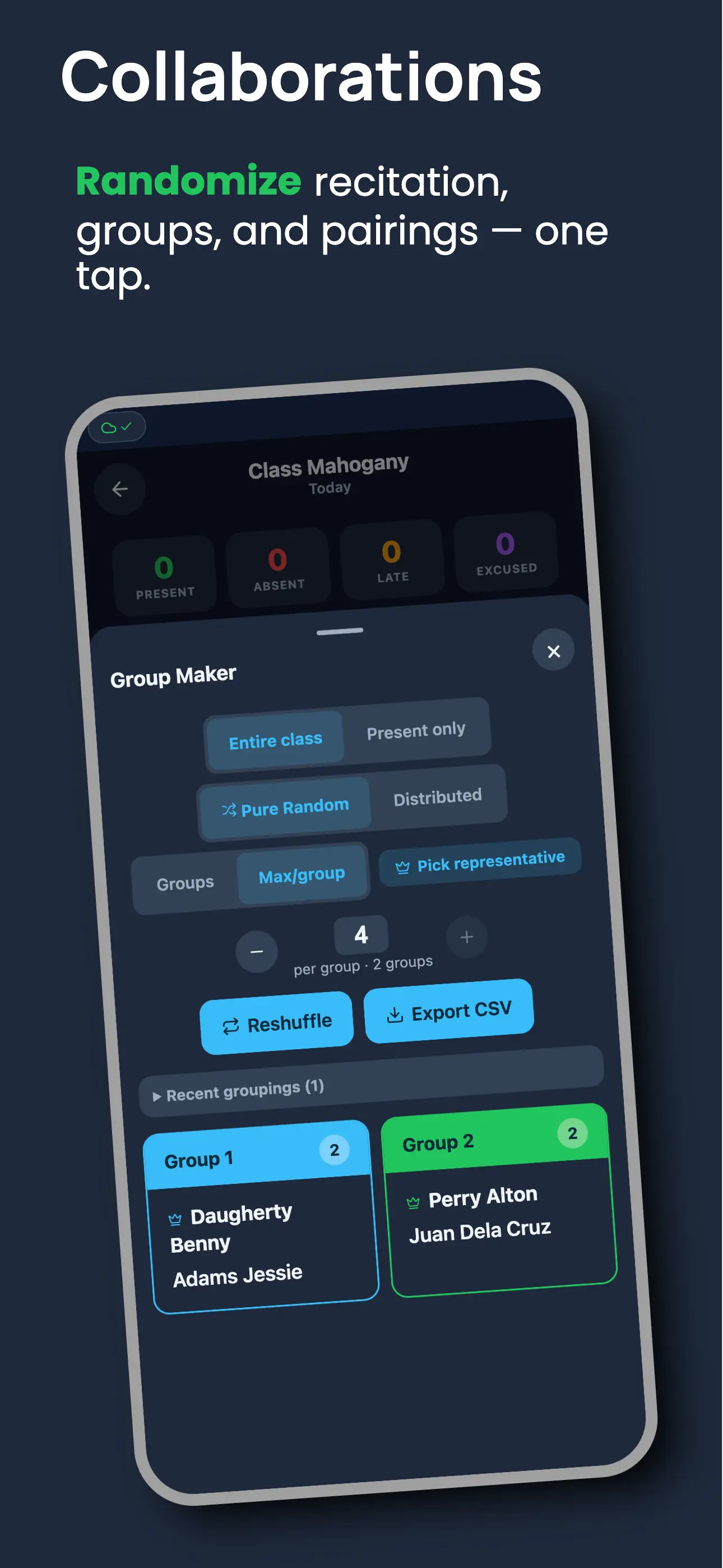
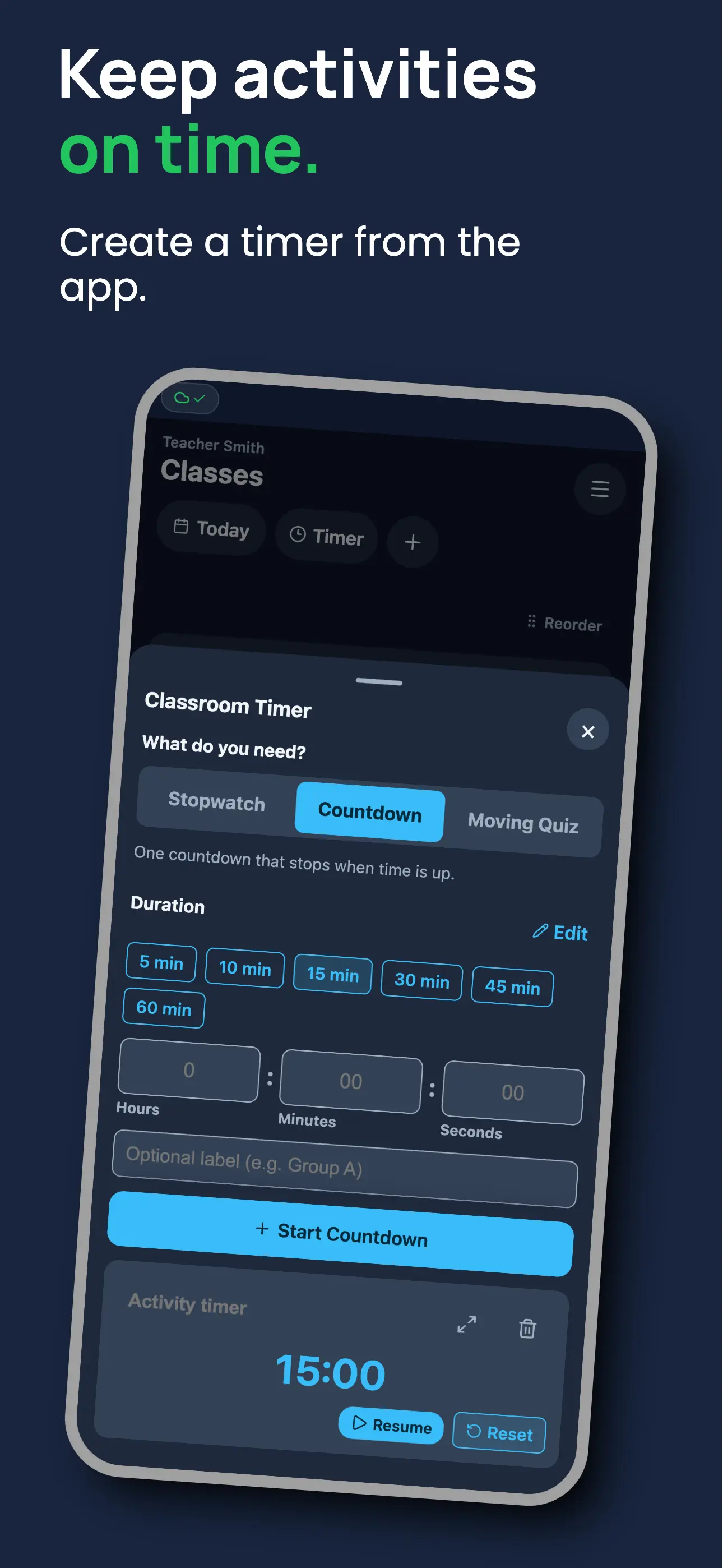
Real screens from the app — swiping attendance, offline sync, class management, and more.
Features
Everything a teacher needs
Built for real classrooms, not enterprise dashboards.
Swipe attendance
Like Tinder, but for roll call. Swipe right present, left absent, down late. Fastest attendance method available.
100% offline
Mark attendance with zero internet. Everything syncs automatically when you're back online. Nothing lost.
Smart absence tracking
Weekly absence counts, consecutive streaks, and a flagged students report help you spot at-risk students instantly.
Class calendar
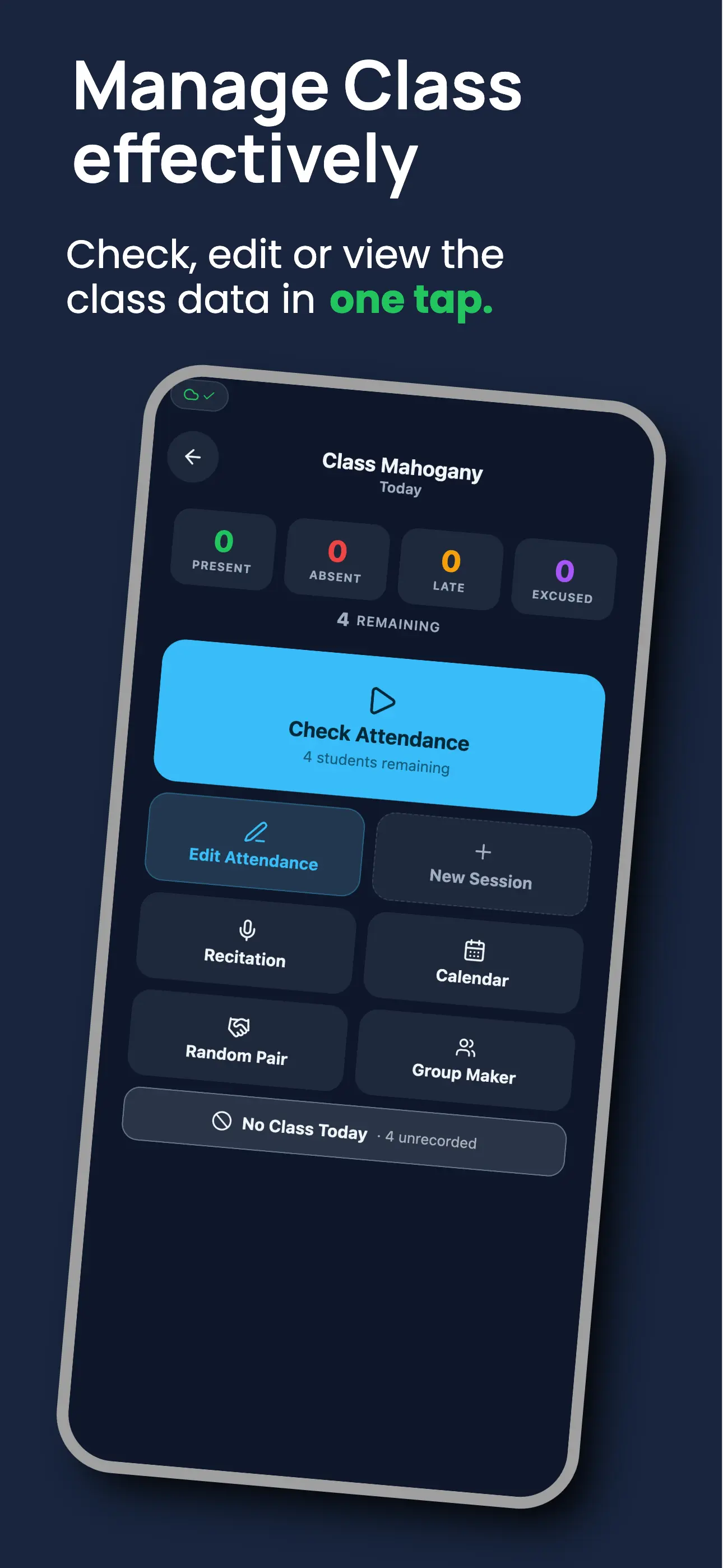
Visual grid showing who was present, absent, or late across every date. Spot patterns at a glance.
Recitation picker
Randomly pick students for recitation. Tracks who's been called so everyone gets a fair chance.
Classroom presentation mode
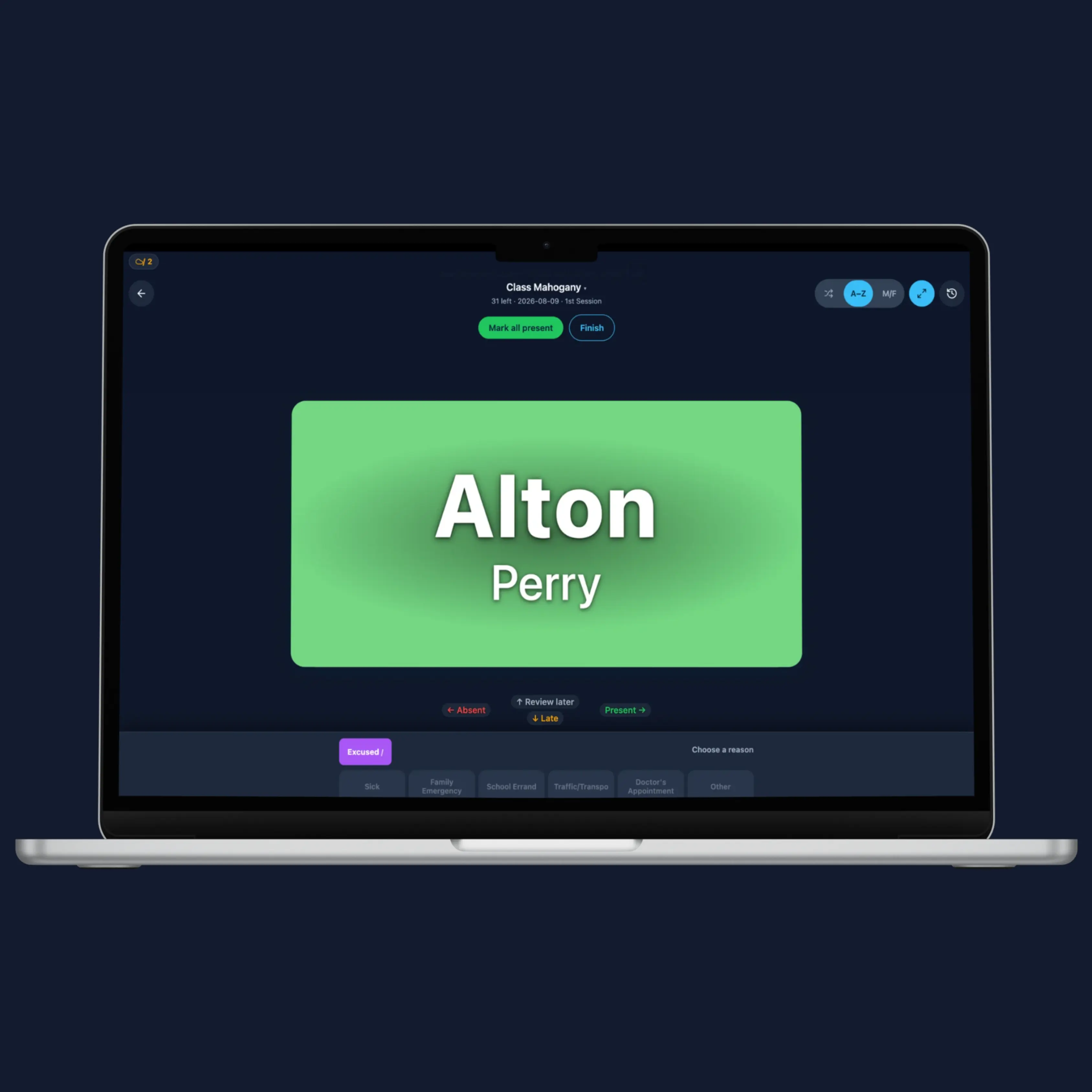
Install MarkIT on a desktop, project the roll-call screen, and let students respond as names appear.
Group maker & random pairing
Split a class into random groups or pairs in one tap. Balance by sex, pick group leaders, restore recent results, and export the list.
CSV import & export
Import your student list from a spreadsheet. Export attendance records anytime for reports or records.
Student access portal
Students check their own attendance with a 6-character code. No login, no account required.
Installable PWA
Available on Google Play for Android →, or add it to your home screen on iOS, Android, or desktop.
Any classroom, anywhere
Works for any subject, any grade level, any country. No setup fees. Just sign up and go.
Classroom presentation
Make roll call part of the class, not a pause before it
Install MarkIT on your desktop and project the app on a classroom screen. As each student appears, they can say “Present” while you record attendance. It turns a routine check into a clear, shared start to the lesson.
- Use on a desktop, laptop, tablet, or phone
- Project the screen for a more visible roll call
- Randomly select students for fair participation
- Start timers for activities, questions, and transitions
Use the same classroom screen for random recitation, group and pair assignments, or a countdown when students begin an activity. MarkIT helps you move from attendance to participation without changing tools.
Explore classroom tools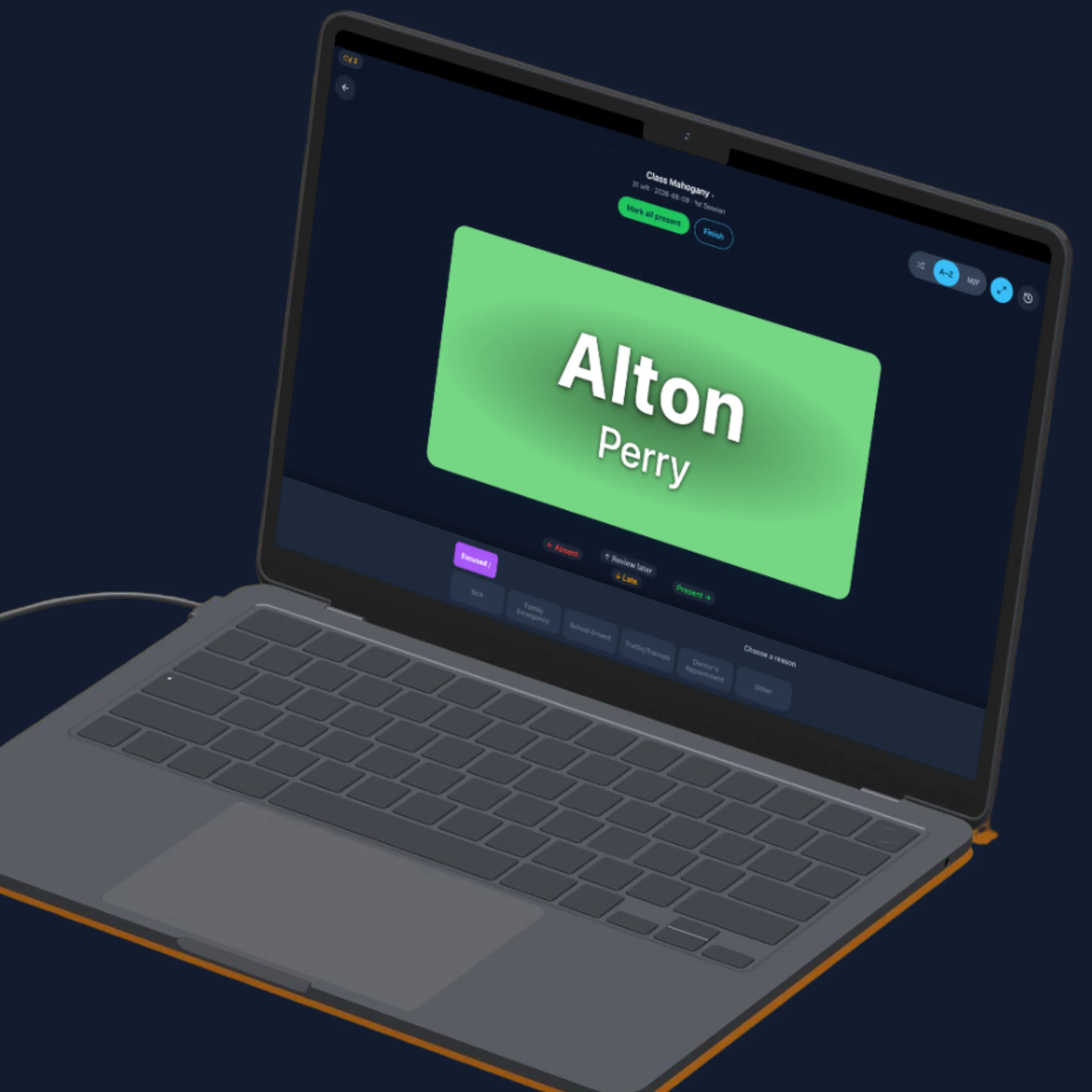
Pricing
Simple. Fair. No surprises.
forever, no credit card needed
- Up to 3 classes, 150 students total
- Works offline
- CSV import & export
- Upgrade to Paid whenever you outgrow it
Paid removes the limits and adds the student portal for ₱350/$5 a year. See pricing details →
FAQ
Common questions
Yes, completely. MarkIT is offline-first: you can mark attendance, view records, and use every feature with zero internet connection. When you reconnect, everything syncs automatically. Nothing is ever lost.
A full class of 40 students takes under 60 seconds. Swipe right for present, left for absent, down for late. No typing required, and cards auto-advance after each swipe so you never lose your place.
MarkIT is free forever for up to 3 classes and 150 students. The Paid plan removes those limits and adds the student portal for ₱350 per year (about $5 USD). See pricing details →
MarkIT is available on Google Play for Android →. It is also a Progressive Web App (PWA): on iPhone, tap Share → Add to Home Screen; on Android, you can also add it to your home screen in Chrome.
No. The Free plan requires only your email, no credit card and no time limit — up to 3 classes and 150 students. Upgrade to Paid whenever you outgrow it.
Your account simply reverts to Free — it's never locked. Existing classes and students stay put; you just can't add past the Free limits until you resubscribe. Full details and how to renew are on the pricing page.
Yes. Each class has a student access portal where students enter a 6-character code to view their own attendance record. No login or account required for students.
Yes. MarkIT supports CSV import. Just export your class list from Excel or Google Sheets and import it directly. You can also export attendance records to CSV anytime.
From the same team
Marka
Peer evaluations without the spreadsheet.
Run end-of-term peer evaluations and get per-student reports, from the team behind MarkIT.
Visit Marka →